

Download Spreaker Studio – podcasting software, live radio streaming, audio editing, voice recording, music integration
Overview
Spreaker Studio is a desktop application designed for individuals looking to create and broadcast podcasts or live radio shows with minimal technical barriers. The software enables users to record voice, integrate background music, and apply sound effects to enhance their audio content. It supports both live broadcasting and scheduled recording, offering flexibility for creators who want to go live in real time or refine their content before release.
The platform is tailored for aspiring podcasters, content creators, and independent broadcasters aiming to establish a presence in the audio space. It provides tools to manage live streams with built-in chat functionality and social media integration, allowing real-time interaction with listeners. The target audience includes hobbyists, emerging media professionals, and small-scale broadcasters who value simplicity and accessibility.
While the developer did not provide additional details about its background, Spreaker Studio appears to be part of a broader ecosystem focused on audio content distribution. Real-world use cases include hosting weekly talk shows, launching personal podcasts, or conducting live interviews with remote guests. The software streamlines the production process, making it easier for non-technical users to enter the world of audio broadcasting.
Key Features & Capabilities
- Live Radio Streaming – Broadcast audio content in real time directly through Spreaker’s network. Ideal for hosting live talk shows, interviews, or music sets with immediate audience engagement.
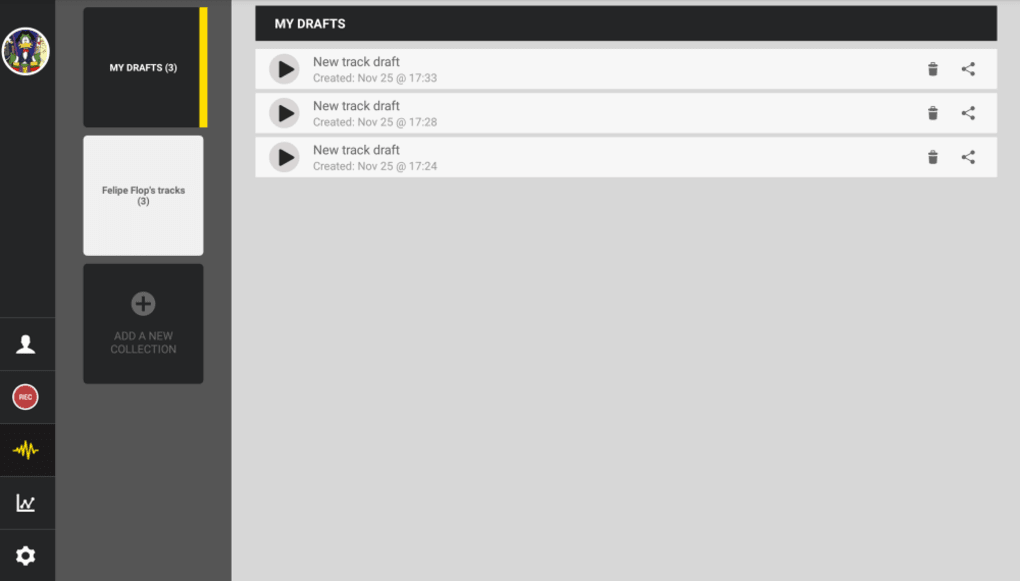
- Podcast Recording & Draft Management – Record audio sessions and save them as drafts for later editing or scheduled broadcast. This feature supports flexible production workflows.
- Voice Recording with Editing Tools – Capture high-quality voice recordings with intuitive controls. Basic editing functions allow for trimming, splitting, and adjusting audio levels.
- Music Integration – Seamlessly add background music to recordings. Users can import tracks or select from a library to enhance the mood and professionalism of their content.
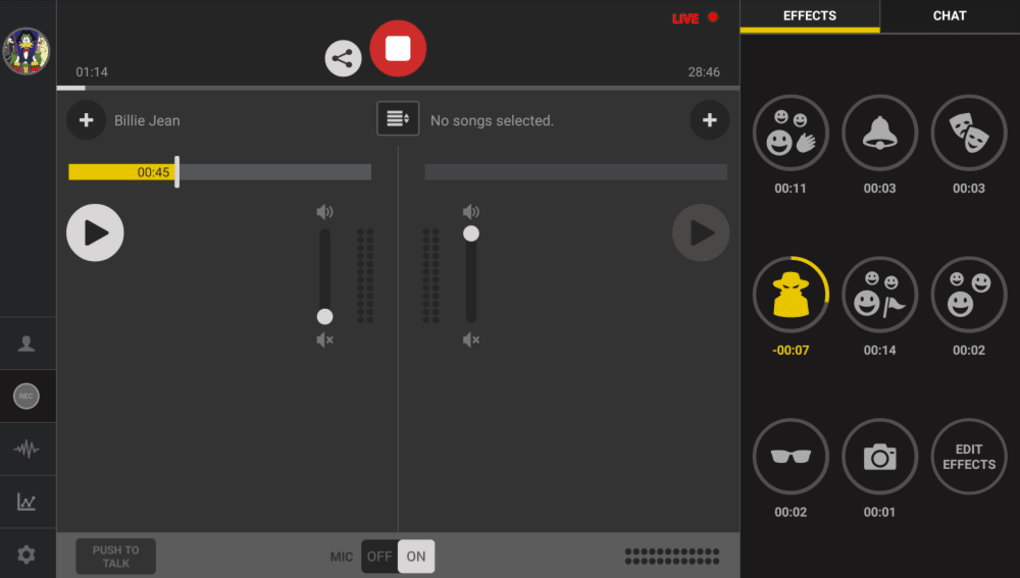
- Sound Effects Library – Access a selection of fun and professional-grade sound effects to punctuate segments, transitions, or on-air moments.
- Live Console with Chat – Monitor and respond to listener messages in real time during live broadcasts, fostering community interaction.
- Social Media Sharing – Share live streams or completed episodes directly to Twitter and Facebook, expanding reach and audience engagement.
These capabilities make Spreaker Studio suitable for a wide range of audio projects. For example, a content creator can record a weekly commentary episode, layer in music, insert sound effects for dramatic emphasis, and then publish it as a podcast. Alternatively, a live host can stream a show with real-time chat, allowing fans to participate. The software simplifies the workflow from recording to publishing, reducing the need for external tools.
User Interface, Workflow & Performance
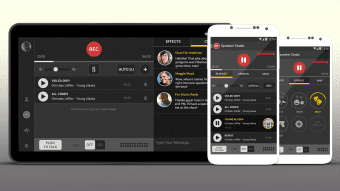
Spreaker Studio features a clean, intuitive user interface designed to minimize the learning curve for new users. The main dashboard organizes key functions such as recording, broadcasting, and media management into clearly labeled sections. Navigation is straightforward, with primary actions accessible from the top toolbar and sidebar panels.
The layout supports a single-window workflow, allowing users to manage multiple audio sources and effects simultaneously. Workflow efficiency is enhanced by the ability to switch between recording and live broadcasting modes with minimal setup. The software maintains stable performance during extended sessions, though exact performance details were not specified.
Resource usage, including CPU and RAM behavior, was not disclosed by the developer. General software behavior patterns suggest it operates smoothly on modern systems. Stability during live broadcasts appears reliable, but real-world testing data was not provided.
The application does not indicate any known crashes or bugs in its current version. Users can expect consistent operation during typical use cases, though performance may vary depending on hardware and background processes.
Compatibility & System Requirements
Spreaker Studio is compatible with both Windows and Mac operating systems, making it accessible to a broad user base across desktop platforms. The current version is 2.3.1, with an installation size of 114.7 MB. This relatively compact footprint suggests efficient use of disk space and a quick setup process.
The developer did not specify exact system requirements, including minimum CPU, RAM, or graphics capabilities. Compatibility information was partially provided, with no mention of specific Windows or macOS versions. Users should ensure their system meets general desktop software standards for audio applications.
The software does not appear to require high-end hardware, but performance may be affected on older or underpowered machines. No additional dependencies or third-party components were noted. For optimal experience, it is recommended to use the latest OS updates and ensure audio drivers are properly installed.
The lack of detailed system specifications limits precise assessment, but the lightweight size indicates broad compatibility potential.
Pros and Cons
Pros
- Free to download and use, eliminating cost barriers for new creators.
- Intuitive interface designed for beginners and non-technical users.
- Supports both live streaming and on-demand podcast publishing.
- Integrated tools for music, sound effects, and real-time chat.
- Direct social media sharing for increased content visibility.
- Compact installation size of 114.7 MB.
Cons
- Exact system requirements were not listed, limiting user preparedness.
- Performance behavior under heavy load was not documented.
- Limited customization options for audio effects and editing.
- Dependent on Spreaker’s hosting infrastructure for live broadcasts.
- No information on offline mode or local file export beyond basic drafts.
FAQ Section
Is Spreaker Studio available for both Windows and Mac?
Yes, Spreaker Studio is compatible with both Windows and Mac operating systems, allowing users on different platforms to access the software.
Can I use Spreaker Studio without an internet connection?
The software requires an internet connection for live broadcasting and cloud-based features. While basic recording and draft saving may work offline, full functionality depends on connectivity.
Is Spreaker Studio safe to download and install?
Spreaker Studio is distributed through official channels and does not contain known malware. As with any software, users should download from trusted sources to ensure security.
How often does Spreaker Studio receive updates?
Updates are released periodically to improve performance and add new features. The latest version is 2.3.1, released on April 5, 2024.
What kind of license does Spreaker Studio use?
Spreaker Studio is offered as free software with no licensing fees. The developer retains ownership, and users are granted a standard end-user license for personal and professional use.
Final Thoughts + CTA
Spreaker Studio stands out as a powerful yet accessible tool for anyone looking to enter the world of podcasting or live radio broadcasting. Its combination of live streaming, recording flexibility, and built-in social integration makes it ideal for content creators who want to publish high-quality audio with minimal friction. While detailed system requirements are missing and some advanced editing features are not available, the software delivers on its core promise: simplicity, functionality, and freedom.
The free price point removes financial risk, allowing users to experiment and grow their skills. Whether you're a first-time podcaster or an independent broadcaster, Spreaker Studio provides the foundation for building a professional audio presence. For those ready to launch their voice into the digital world, this desktop application offers a seamless entry point.
Download Spreaker Studio now.






.png)
